


Stay Evaluator: hotel guest feedback
Ask guests about their stay and review responses about rooms, facilities and service with your hotel team.
This page is available in English while its translation is updated.
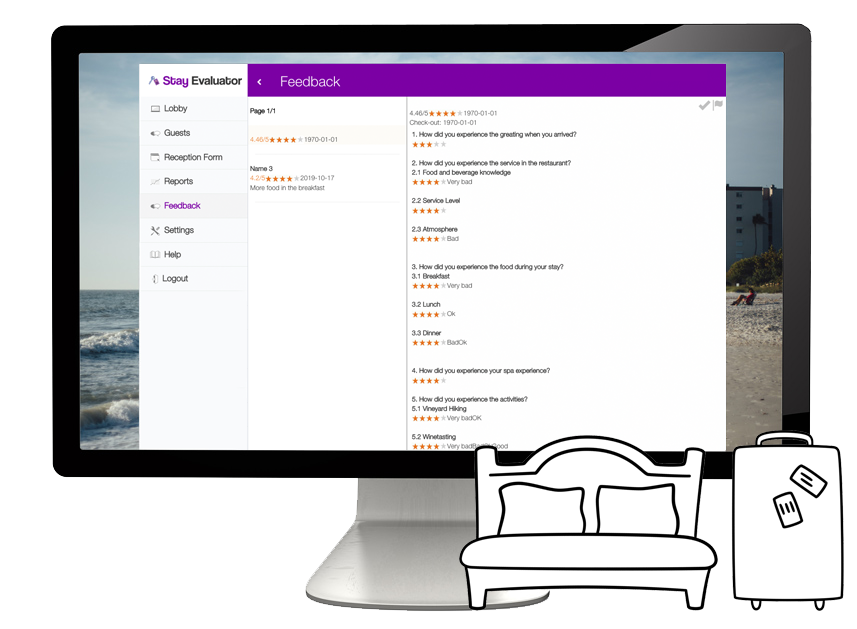
Stay Evaluator – a small tool for the management of hotel reputation and guest feedback.
Stay Evaluator allows you to gather and analyze your guests’ opinions and thoughts about the performance of your establishment and staff. Thus, you get early control of any emerging problems and also leave any negativity inside your company, instead of showing it on public sites.
Schedule an invitation for a guest
Enter the required guest contact information in the reception form or use a supported administration connection. Choose when to send the survey so the guest can evaluate the relevant part of the stay.

Read feedback about the stay
Review ratings and comments in the dashboard. Use the available room, service and date fields to investigate specific feedback, while keeping access appropriate to the information collected.

Choose email or SMS invitations
Choose the channel that fits the guest workflow and review sending charges. If both channels are used, test the documented parallel-link behavior that deactivates the other invitation after a response.

Choose a reception form or integration
Use the reception form for a separate workflow, or confirm a connection to your hotel administration system. Agree on the available checkout event, required fields and timing during setup.

Review results and scheduled reports
Read responses in the dashboard and filter by the fields available for your configuration. Choose the reports your team needs and confirm their delivery schedule.
Use direct guest feedback alongside reviews
An invitation asks a guest about a specific stay. Read those responses alongside other feedback sources; a survey response does not guarantee that every guest has been represented.

Plan access to guest feedback
Decide who needs response and report access. Confirm hosting, retention and backup arrangements for the account before importing guest information.

Check data processing requirements
Review the data processing terms and the information in your survey invitation. Collect the guest and booking fields needed for the agreed purpose.
Prepare questionnaires in guest languages
Create translated question and invitation versions for the languages you need. Review them before sending and keep the rating scales consistent.

Understand the satisfaction rating
Stay Evaluator describes a dashboard satisfaction rating on a 1–5 scale. Use the score with comments and response counts, and compare stays using the same questions.

Connect your Examinare account
Choose the Examinare account to link to the module in the calculator below. The account, monthly module and setup fee are separate items.

Send invitations and reminders
Configure the invitation and reminder timing for the guest experience you are measuring. Review SMS charges and test the links before sending a full guest list.
Use the reception form
Enter the required guest contact information and check the survey settings. The time needed depends on the information entered and your reception workflow.
Confirm a hotel system integration
Discuss your administration system and available booking or checkout events with Examinare. Agree on compatibility, development scope and cost before setup.

Prepare a survey for your hotel
Choose questions about the services you want to evaluate and adapt the wording to your establishment. Confirm any questionnaire design or translation service during setup.


