


Survey Kiosk System: tablet feedback surveys
Display a questionnaire on a tablet for in-store, event or service feedback, with a configured restart flow between respondents.
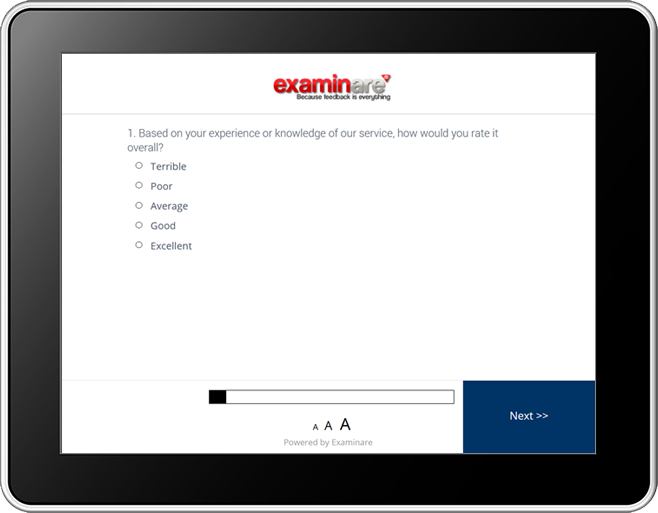
Surveys at the point of service
Survey Kiosk System displays an Examinare questionnaire on a tablet or compatible device. Use it for feedback after a visit, an event or an in-store interaction. Confirm the app and device requirements before installation.
Use surveys from your Examinare account
Choose the survey or poll to display on the device. Confirm that the device, app version and Examinare account support the intended setup.

Restart after a completed survey
Configure the survey to return to the beginning or display a thank-you page before the next respondent. Test the loop on the device that will be used.

Configure kiosk access
Use the kiosk settings and device access controls to restrict how respondents leave the survey. Test the setup on the chosen device; kiosk mode is not a guarantee against every unauthorized action.

Adjust the survey design
Choose the logo, colors and question presentation for the display. Check text size and contrast on the actual tablet before putting it into service.

Restart after inactivity
Set an inactivity timeout so an unfinished response does not leave the next person midway through the questionnaire. Test what happens to the incomplete response when the timeout is reached.

Choose the content to display
The Gadgets workflow can display configured web content such as a survey or dashboard. Confirm that the chosen content works on the device and review any sign-in requirements.
Ask for a rating and an explanation
A short rating can identify a pattern; an optional comment can explain it. Keep the kiosk survey brief enough for the location and avoid requesting unnecessary personal information.

Control the survey flow
Choose the start page, completion behavior and inactivity settings for the kiosk. Check any skip logic and language choices with test responses before launch.
Review and share the results
Use the Examinare reporting options to review responses and export the required reports. Confirm which dashboard display and scheduled-report options are available for your setup.


